Every card you collect, ready to call.
CardRolo is the business card scanner app that turns paper cards into contacts. Snap a photo of a business card and it reads the name, title, company, phone and email for you. No typing, no shoebox of cards, no lost contacts after the trade show.
Coming soon to iPhone and Android.
- Name
- Dana Whitfield ✓
- Title
- Purchasing Manager ✓
- Company
- Northline Supply Co. ✓
- Phone
- +1 (555) 014-2290 ✓
- [email protected] ✓
From handshake to saved contact in seconds
Snap the card
Point your camera at any business card. CardRolo finds the edges and captures it, front and back.
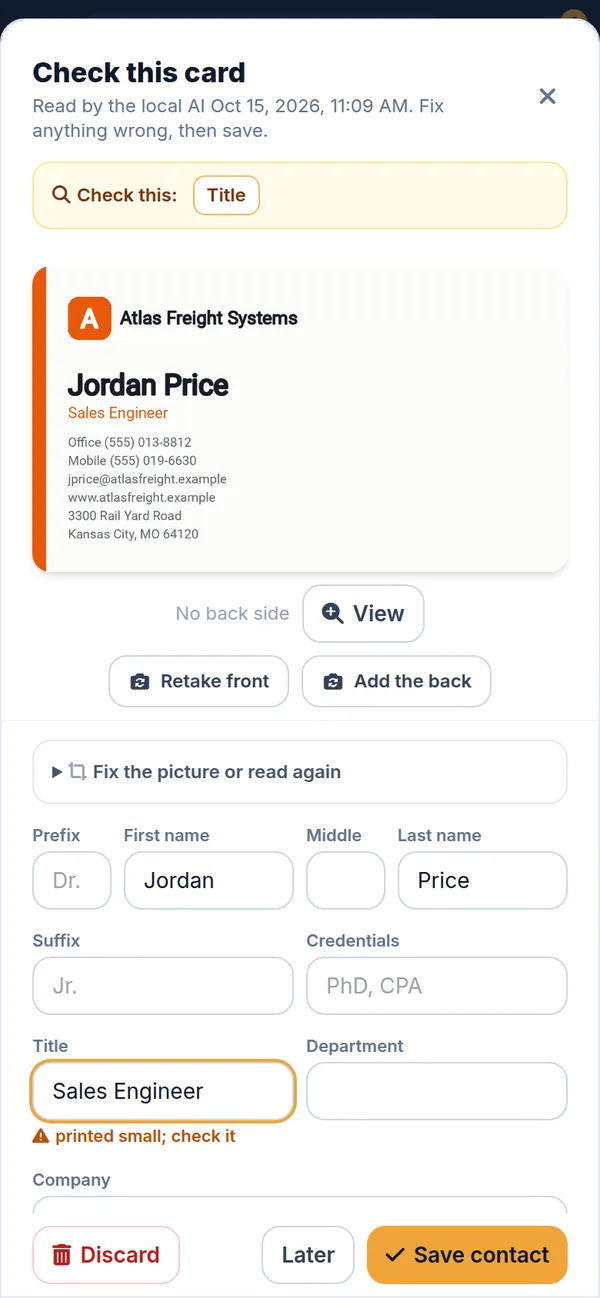
Check the details
Name, title, company, phone, email and address fill in automatically. Fix anything with a tap.
Find it later
Search by name, company or where you met. Call, email or text straight from the contact.
See it in action
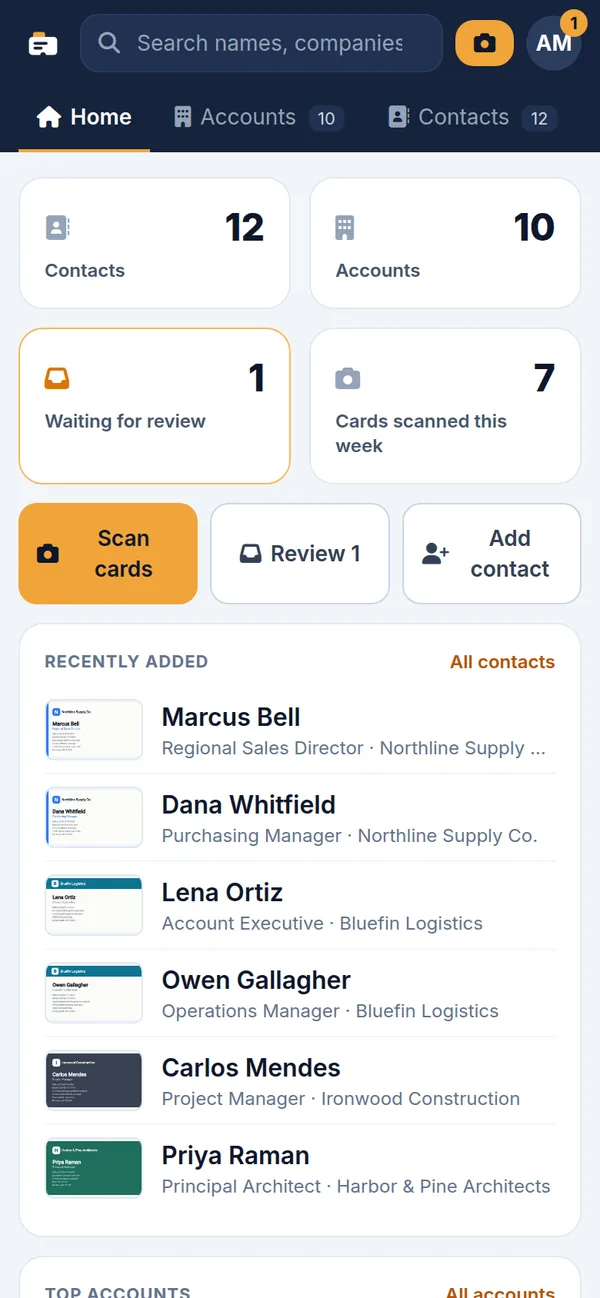
The same contacts on a bigger screen
Scan on your phone, then manage your contacts in any web browser on your Mac or PC.
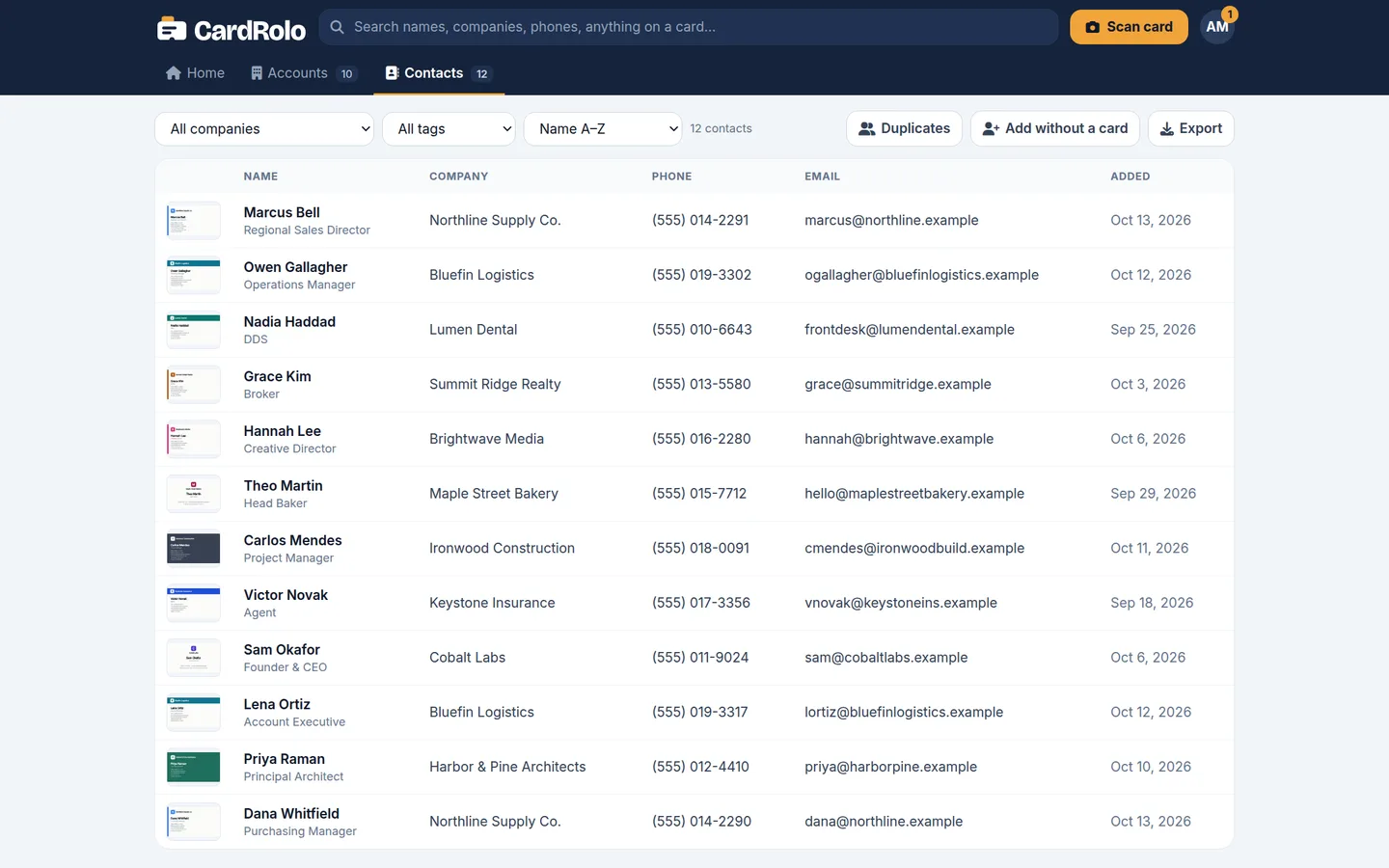
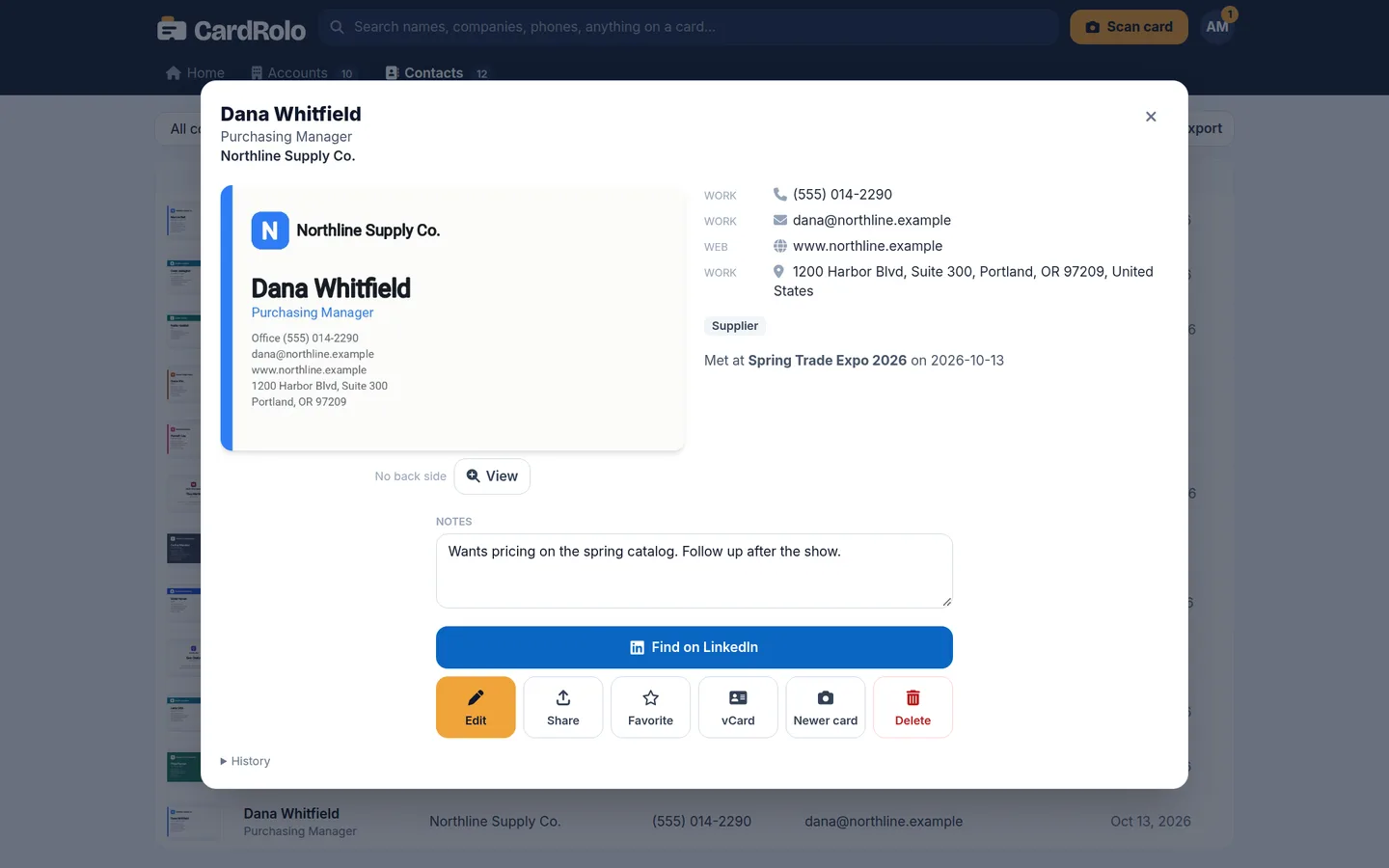
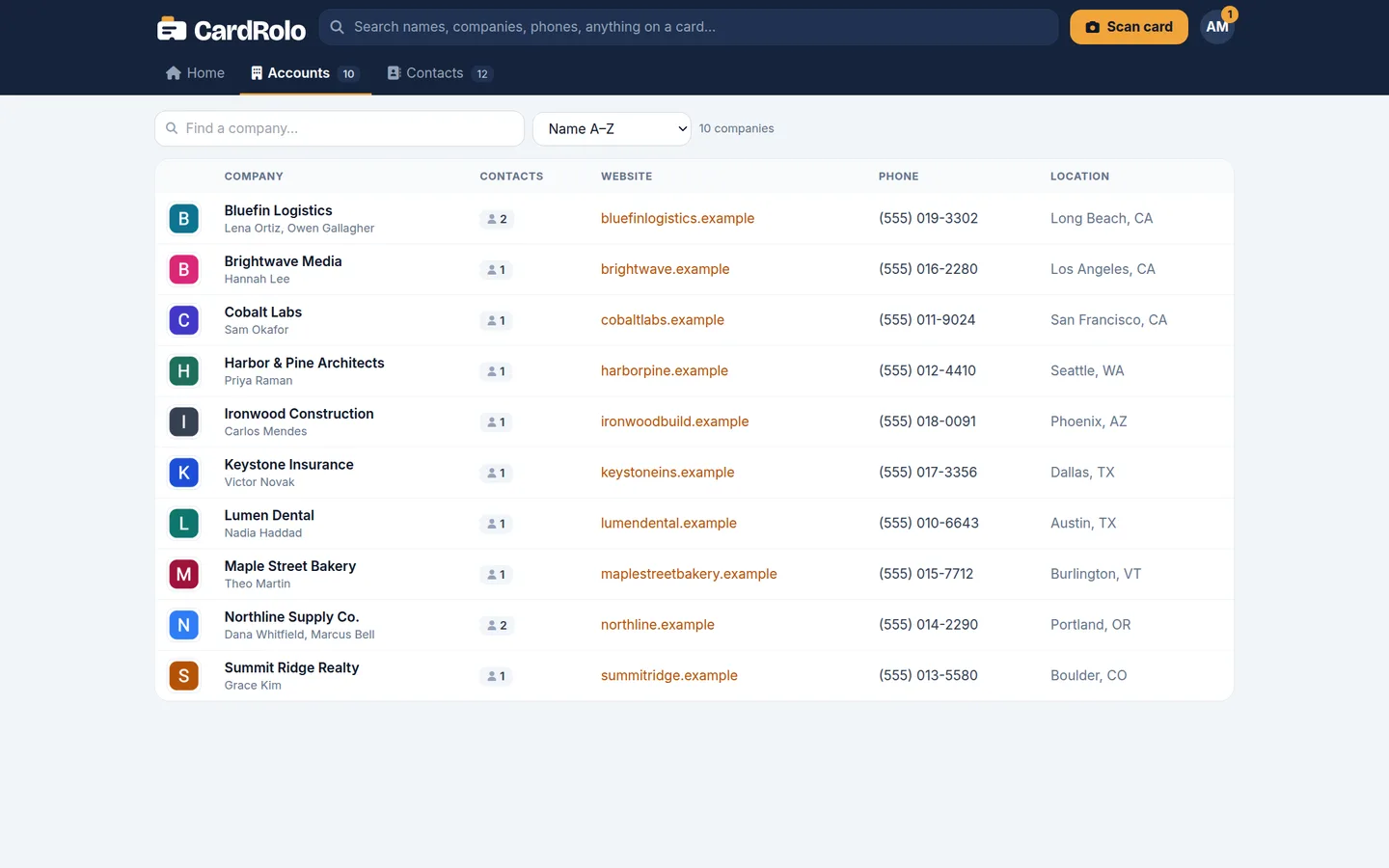
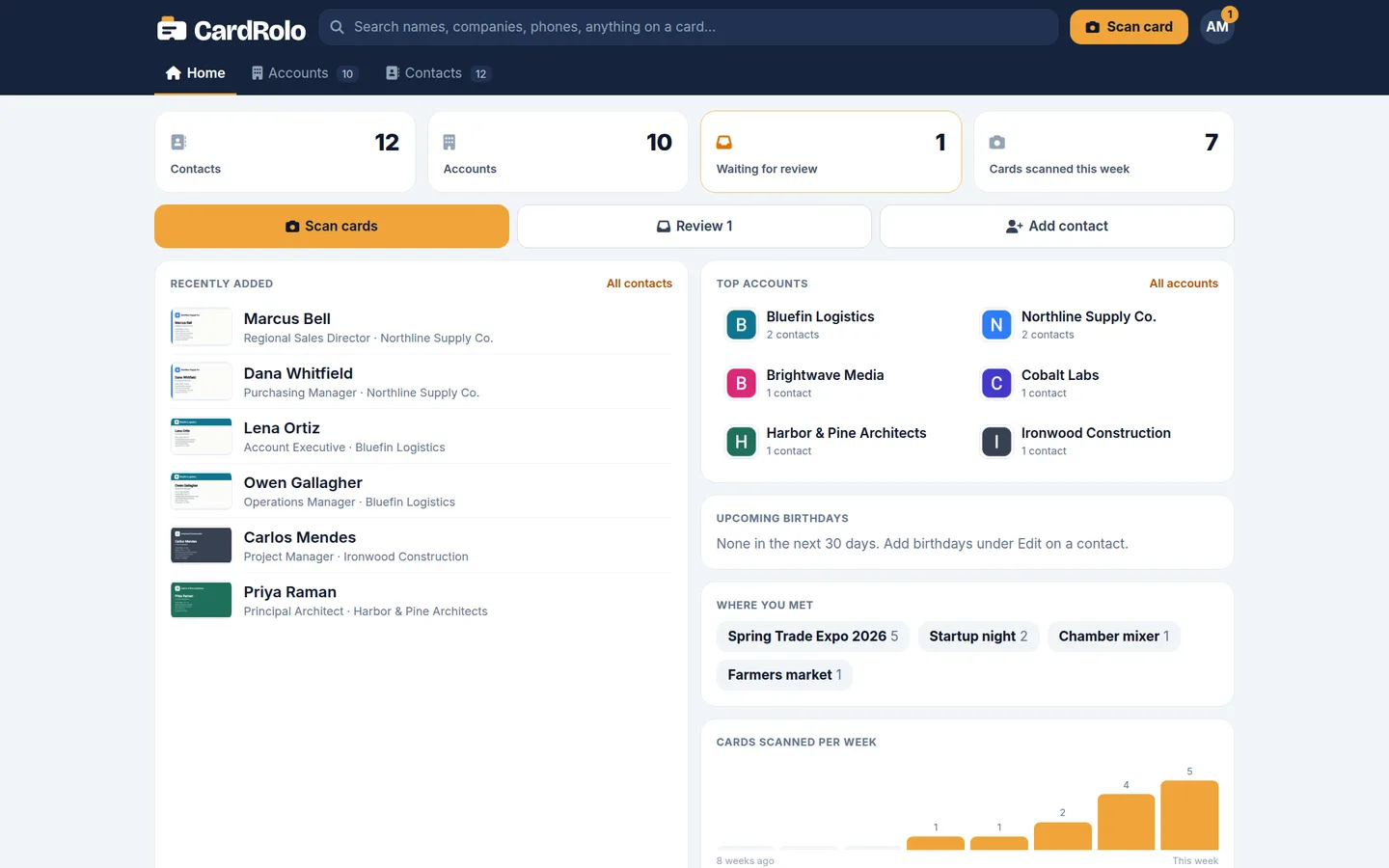
A contact manager built for people who meet a lot of people
Accurate card reading
Handles glossy, textured, vertical and two-sided cards.
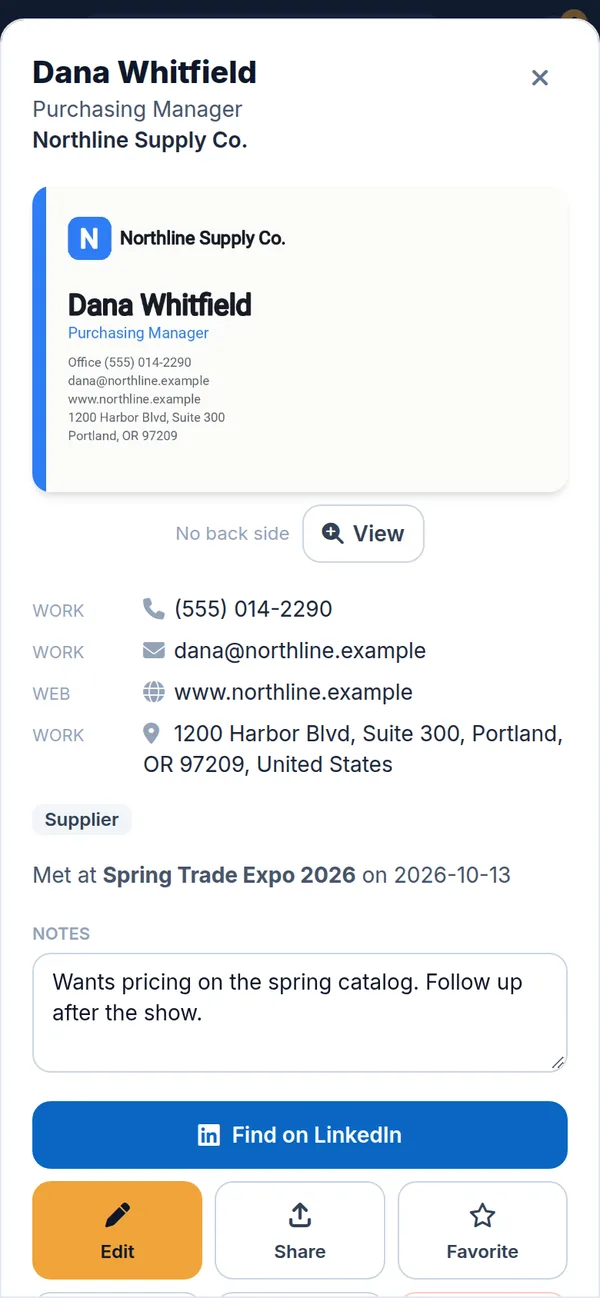
Notes and tags
Add where you met and what you talked about, so the follow-up is easy.
Syncs with iCloud and Google
Save to your phone's contacts and they sync to your other devices through iCloud or Google, or keep them in CardRolo only.
Export anytime
Download all your contacts as a CSV (opens in Excel) or vCards, or move them into your CRM.
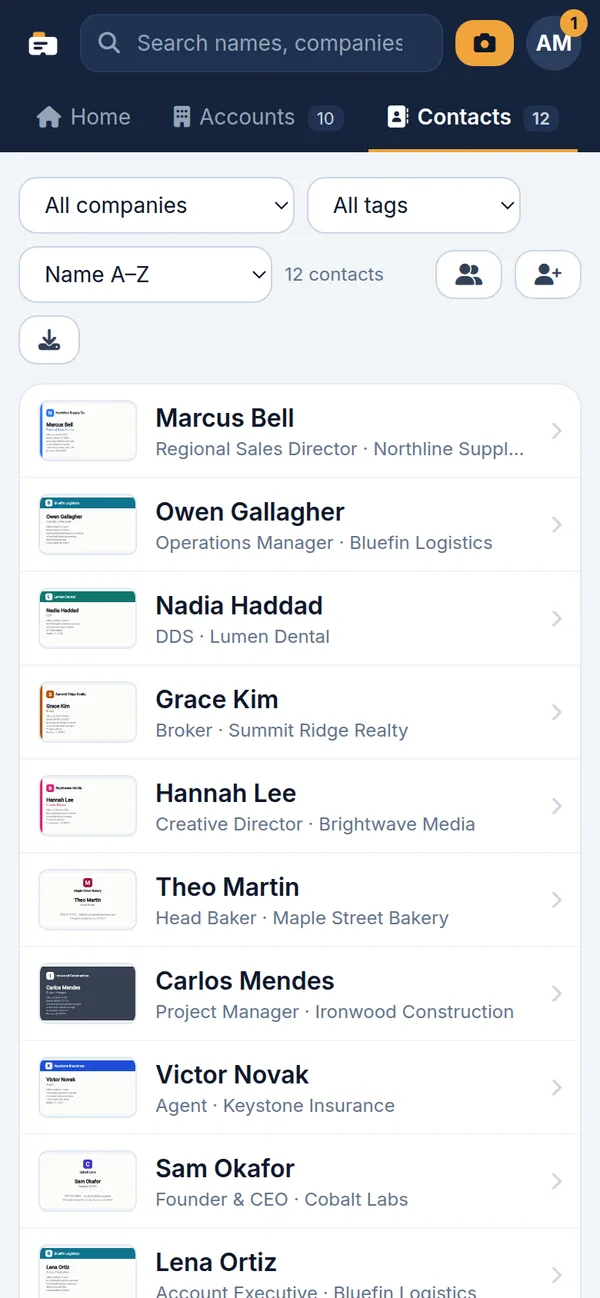
Search every contact
Find anyone by name, company, title, tag or the event where you met.
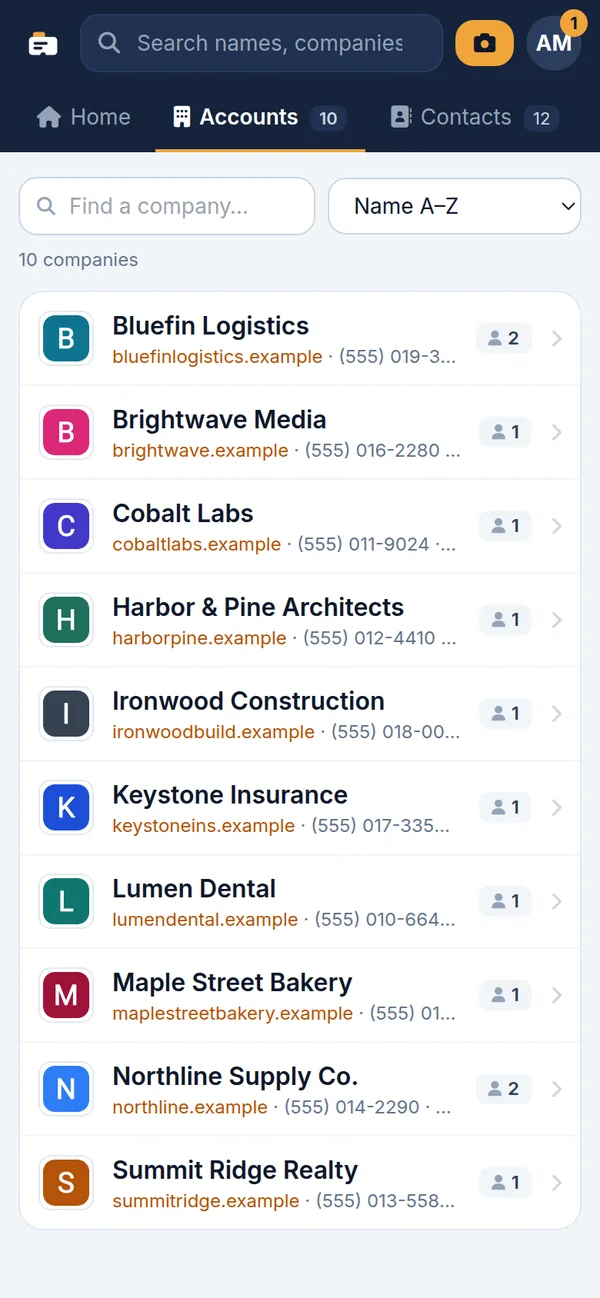
Company accounts
Contacts are grouped by company automatically, with logos and websites.
Syncs with iCloud and Google Contacts
Tap Save to Contacts and the person goes into your phone's own address book. From there your iCloud or Google account keeps them in sync on all your devices, the same way it does for every other contact. Nothing extra to set up.
iPhone and iCloud
Saved contacts appear in the Contacts app and sync through iCloud to your iPad and Mac. Your iPhone sends new contacts to whichever account you've set as its default, iCloud or Google.
Android and Google
Saved contacts go to your Google account and show up in Google Contacts, Gmail and any phone or tablet you sign in to.
Outlook, CRMs and everything else
Export everyone as a CSV spreadsheet or vCards and import them into Outlook, Google Contacts, Excel or your CRM.
The card photos and your notes stay in CardRolo on your phone, where you can back them up and restore them on a new phone.
Like it? Buy it. If not, keep 50 cards free.
No account, no ads, no nagging. Your first 50 cards get every feature, with no subscription and no trial clock. If CardRolo earns its place on your phone, unlock unlimited cards.
Free
$0 forever
- Your first 50 cards
- Every feature: scanning, both sides, notes, tags, companies
- Save to your phone's contacts
- Export anytime, even past 50
- No account and no ads
Pro Yearly
$14.99 a year
Cancel anytime in your App Store or Google Play account
- Unlimited cards
- Everything in Free
- Restore it on a new phone
Pro Forever
$49.99 once
Pay once, no subscription
- Unlimited cards
- Everything in Free
- Yours for good, nothing to cancel
- Restore it on a new phone
Business card scanner FAQ
Is CardRolo free?
Yes, for your first 50 cards, with every feature, no account and no ads. If you like it, unlock unlimited cards with CardRolo Pro: $14.99 a year, or $49.99 once with no subscription. Exporting your contacts is always free.
Does CardRolo sync with iCloud or Google Contacts?
Yes. Save a contact to your phone's contacts and your iCloud or Google account syncs it to your other devices, like any other contact. You can also export everyone as a CSV spreadsheet or vCards for Outlook, Google Contacts or a CRM.
What is CardRolo?
CardRolo is a business card scanner and contact manager. Take a photo of a business card and CardRolo reads the name, title, company, phone, email and address, then saves it as a searchable contact.
How do I scan a business card into my phone contacts?
Open CardRolo, point your camera at the card and take the picture. Check the details it read, tap save, and the contact can go straight into your phone's contacts.
Can I export my contacts to Excel or a CRM?
Yes. Download all your contacts as a CSV spreadsheet (opens in Excel) or as vCards, and import them into your CRM, Outlook, Google Contacts or iPhone contacts.
Does it read both sides of a business card?
Yes. CardRolo captures the front and back, and handles glossy, textured and vertical cards.
Is CardRolo a contact manager too?
Yes. Besides scanning, you can add notes, tags and where you met someone, group contacts by company, and search everything in one place.
Is CardRolo available on iPhone and Android?
CardRolo is coming soon to iPhone and Android. Check back here for the download links.
CardRolo is on its way
The app is coming to iPhone and Android. Check back here for the download links.